Security company software · South Africa
Run your security company from one app
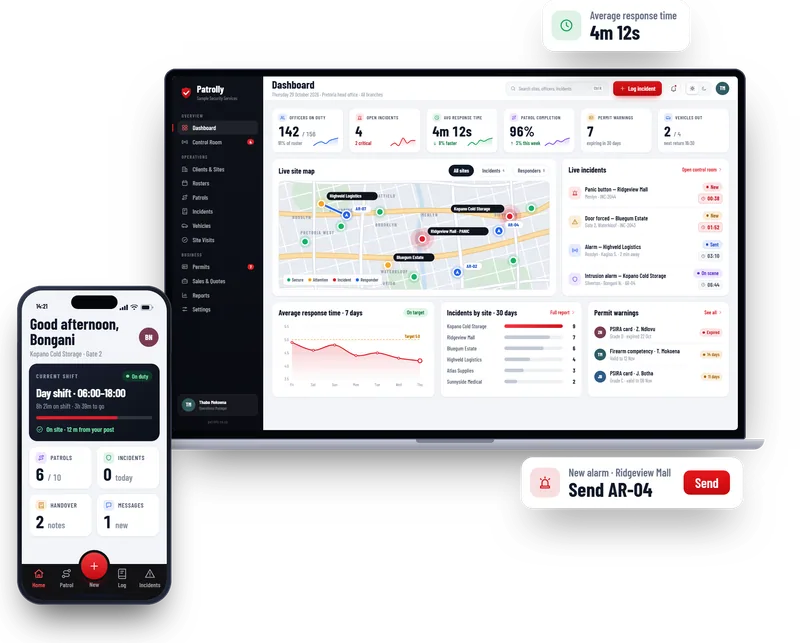
Patrolly puts guard patrols, the occurrence book, incident reports, the control room, PSIRA permits and rosters on one screen. Guards use it on their own phones. You see everything, live.
- Works on any phone, no app store
- Made for PSIRA-regulated companies
- Free live demo with your sites
What Patrolly does
Everything a security company runs on, in one place
Switch on the parts you need today. Add the rest when you are ready.
Guard patrol app
QR checkpoints, live progress, missed-patrol alerts.
Learn moreDigital occurrence book
Time, place and photos on every entry.
Learn moreIncident reports
Report from the phone, send the client a PDF.
Learn moreControl room
Send the nearest responder and time every step.
Learn morePSIRA permit tracker
Warnings before cards and permits expire.
Learn moreRosters and attendance
Build the roster on screen.
Learn moreSite visits
Visit, score and follow up every site.
Learn moreVehicles and fleet
Bookings, inspections and certificates.
Learn moreClient portal
Clients see their own sites and reports.
Learn moreGuard app
Guards get a simple app on their own phones
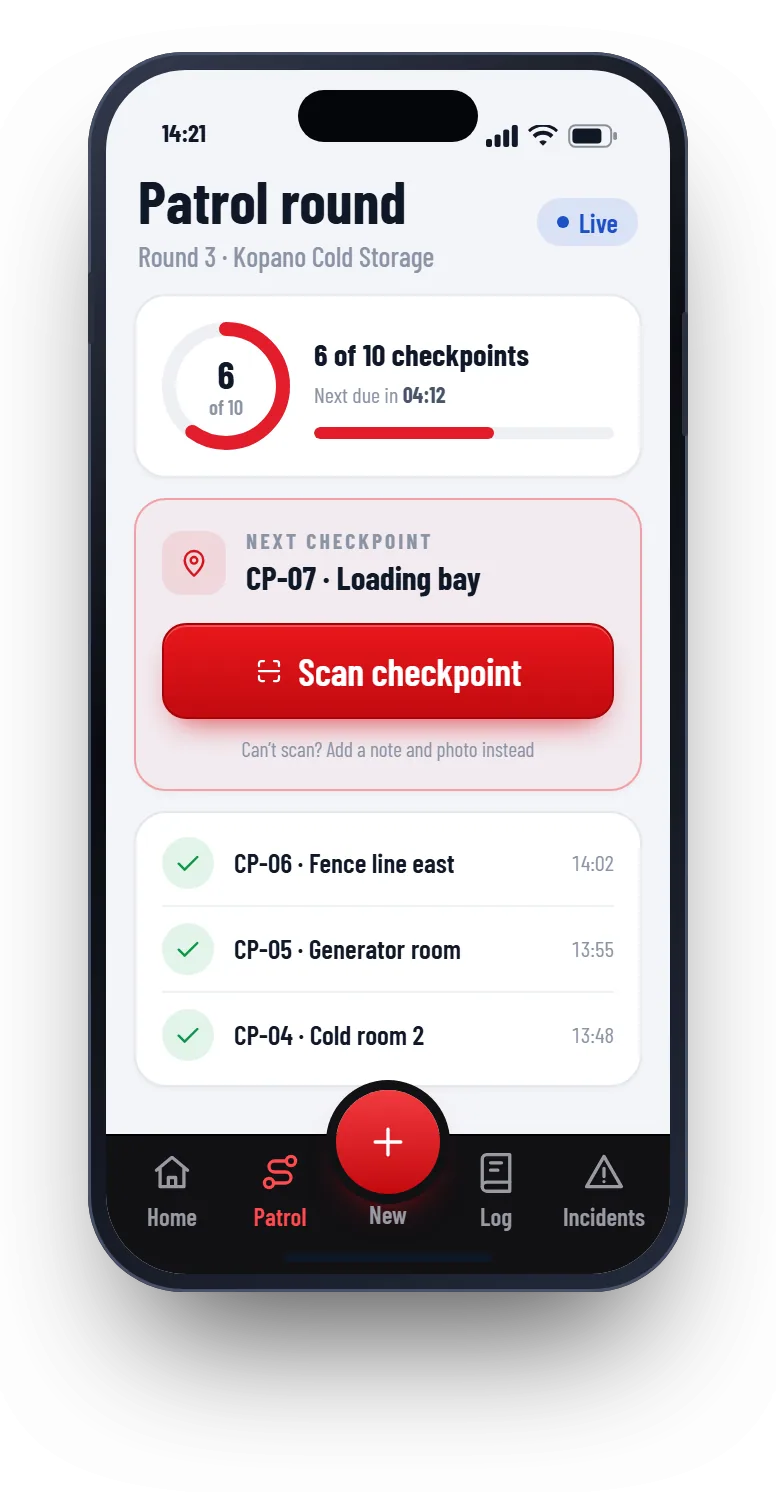
No app store and no new devices. A guard opens a web link, adds it to the home screen and uses it like any other app.
- Start the shift and check in at the site
- Scan the QR code at every patrol checkpoint
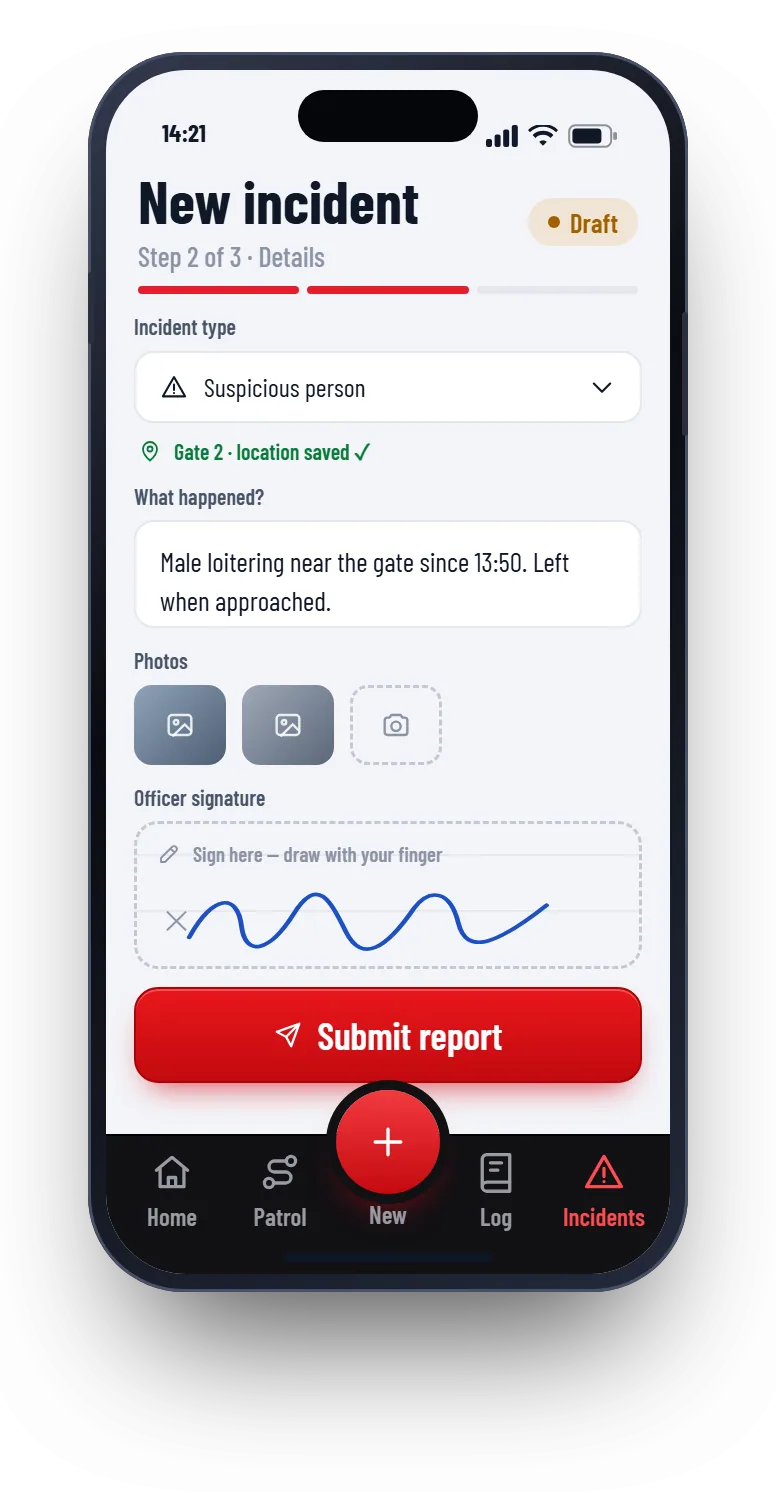
- Log visitors, vehicles and incidents with photos
- Press and hold SOS to alert the control room
Control room
The control room sees every alarm
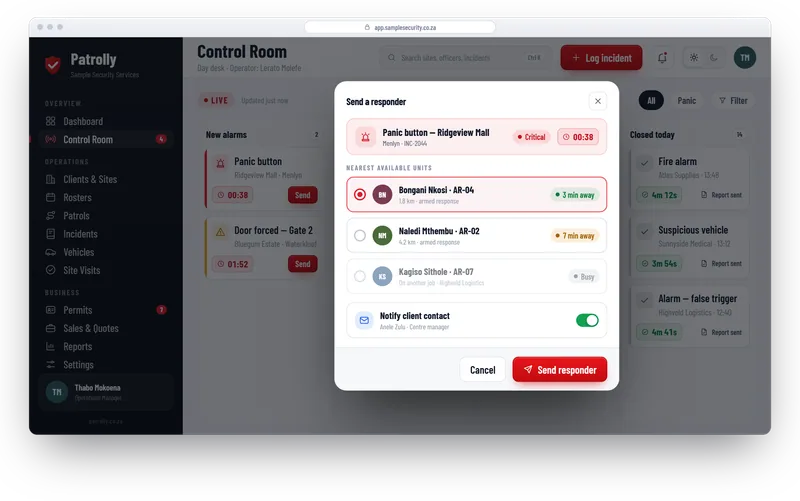
New alarms land on one board. Pick the nearest responder, send them, and the clock starts. Every step is timed and saved.
- New alarms, sent responders, on-scene and closed jobs on one board
- The nearest free responder is suggested, with arrival time
- The site contact gets an email automatically
- One click makes the incident report PDF
PSIRA permits
No guard works on an expired permit
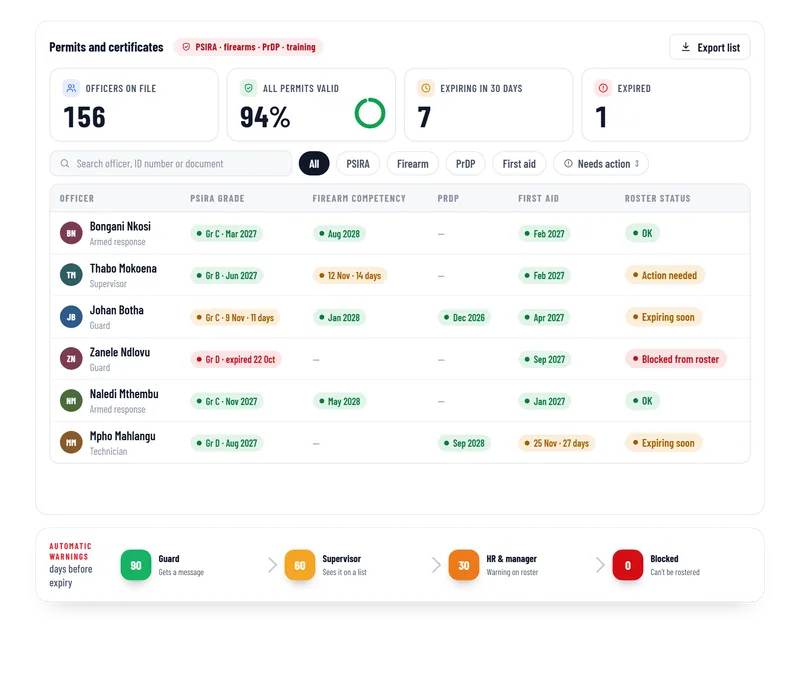
Patrolly keeps every guard’s PSIRA card, firearm competency, driver’s permit and training certificates. It warns you early, and it will not let you roster a guard whose card has expired.
- Warnings 90, 60 and 30 days before expiry
- The guard, supervisor and HR are all told
- Expired guards are blocked from the roster
- Documents are stored for each guard
Rosters
Build the roster on screen
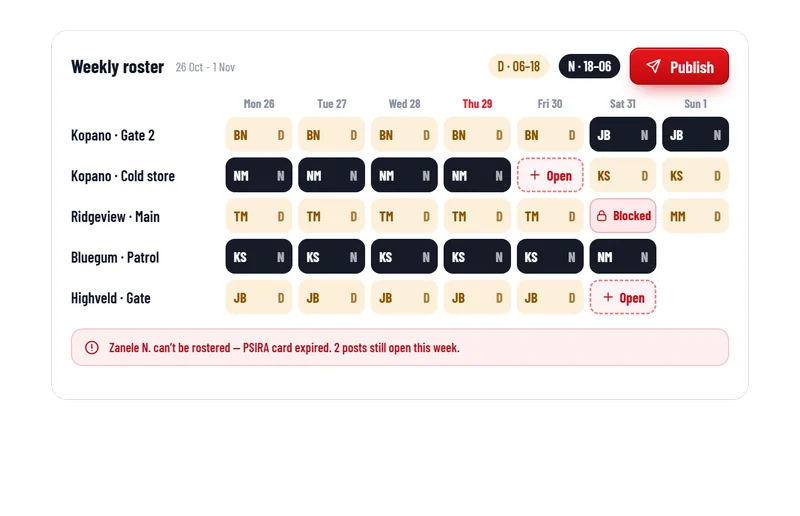
Day and night shifts for every post in one week view. Open posts show in red. When you publish, guards see their shifts on their phones.
- Day and night shifts for every post
- Open posts and blocked guards are flagged
- Guards see their shifts on their phones
- Hours export for payroll
The difference
From paper and WhatsApp to one app
Without Patrolly
- Paper occurrence books
- Excel rosters and phone calls to change shifts
- PSIRA and firearm permits expire and nobody notices
- Incident photos scattered across WhatsApp groups
- Vehicle bookings by phone, arguments about damage
- Reports typed up by hand every month
With Patrolly
- Occurrence book on the phone, with time, place and photos
- Roster built on screen, guards see their shifts on their phones
- Warnings 90, 60 and 30 days before expiry
- Incident reports with photos, location and signature in one place
- One booking calendar, photos and a signed hand-over
- Client reports made in one click
Who it is for
Made for South African security companies
Guarding companies
Rosters, patrols, the occurrence book and PSIRA permits for sites and guards.
Learn moreArmed response and control rooms
Send the nearest responder, time every step and prove your response times.
Learn moreTeams that visit many sites
Visit, score and follow up every site, and see which ones are behind.
Learn moreHow it works
See it working before you decide
- 1
Tell us about your company
Message us on WhatsApp. Send your sites, your logo and roughly how many guards you have.
- 2
We build you a free live demo
A working Patrolly with your sites and branding. You log in and try it on your phone and computer.
- 3
Go live on your own address
We set it up on your own web address, train your team, then host and support it for a monthly fee.
Locked down from the first login
Security company data is sensitive. Patrolly is built that way.
Invite-only logins
No public sign-up. Everyone is invited by email and sets their own password.
A phone code for everyone
Every user adds an authenticator app, so a stolen password is not enough.
South Africa only
Logins from other countries are blocked.
Everything is logged
The app saves who did what, and when.
Questions
Common questions
Not here? Message us on WhatsApp and we will answer.
Do guards need to download an app from an app store?
Can we use our own logo and name?
Does Patrolly replace our alarm monitoring software?
Do we need special devices or tags?
Is our data safe, and where is it kept?
How much does it cost?
Want to see Patrolly with your own sites?
Message us on WhatsApp. We set up a free live demo with your sites, your logo and your guards.